Bill of Materials in Manufacturing: How Your BOM Drives Accurate Quotes
What a BOM actually contains, how the engineering and manufacturing views differ, and where the structure quietly decides whether your estimate was right.
LF
Lamar Falconer
Founder & CEO, AltoLeap
October 1, 2026
7 min read
A bill of materials in manufacturing is a structured record of the materials, components, and subassemblies needed to build a defined product, including how much of each one is required and which assembly uses it. It matters well beyond the shop floor, because that structure is what your cost estimate is built on, and the estimate is what your pricing decision starts from. Get a quantity wrong three levels down and the error does not stay there. It travels up every assembly that uses the part and out into every unit on the order.
This is a practical walk through what a BOM actually contains, how the engineering and manufacturing views differ, and where the structure quietly decides whether your estimate was right.
What is a bill of materials in manufacturing?
A BOM answers three questions at once: what goes into this product, how much of each item is needed, and which assembly consumes it. It also connects those items to the product documentation that engineering, purchasing, and production rely on.
The looser term “parts list” often gets used for the same thing, and plenty of manufacturers use both words interchangeably. We would not make a rule out of the label. The meaningful question is whether the record preserves quantities, parent and child relationships, and a specific product definition, or whether it just names items. A list that tells you a bracket is used but not how many, or not which subassembly it belongs to, cannot support an estimate. (For the systems side of keeping that record clean, see our glossary entry on BOM management.)
A controlled BOM is not a longer shopping list. It is a description of structure, and structure is what makes cost calculable.
What belongs on a BOM line?
Different systems store these fields in different places, so treat this as the information your BOM and its linked records need to make available rather than a database layout.
Field
What it has to tell you
Part number
A stable identity that distinguishes this component from anything similar
Description
Human-readable identification, including specifications that matter
Quantity-per
Consumption relative to the stated parent or base quantity, not the whole customer order
Unit of measure
The unit that quantity is counted in: each, length, mass, volume
Reference designator
Where the item sits, such as a board location. Common in electronics, not universal
Make or buy
Whether the item is manufactured, purchased, or otherwise sourced
Revision and status
Which definition applies, and whether it is released or still in development
Two of these are worth dwelling on. Quantity-per is relative to its parent, not to the whole order, and reading it as an order quantity is an easy mistake to make. And unit of measure quietly breaks arithmetic that otherwise looks correct: a price per pack applied as a price per piece runs fine and gives you the wrong number.
Not every attribute physically lives on the BOM row. Revision might belong to the item, the BOM, or a selected version, and purchasing terms usually sit in linked master data. So “check the BOM” often means checking several connected records.
How do single-level and multi-level BOMs differ?
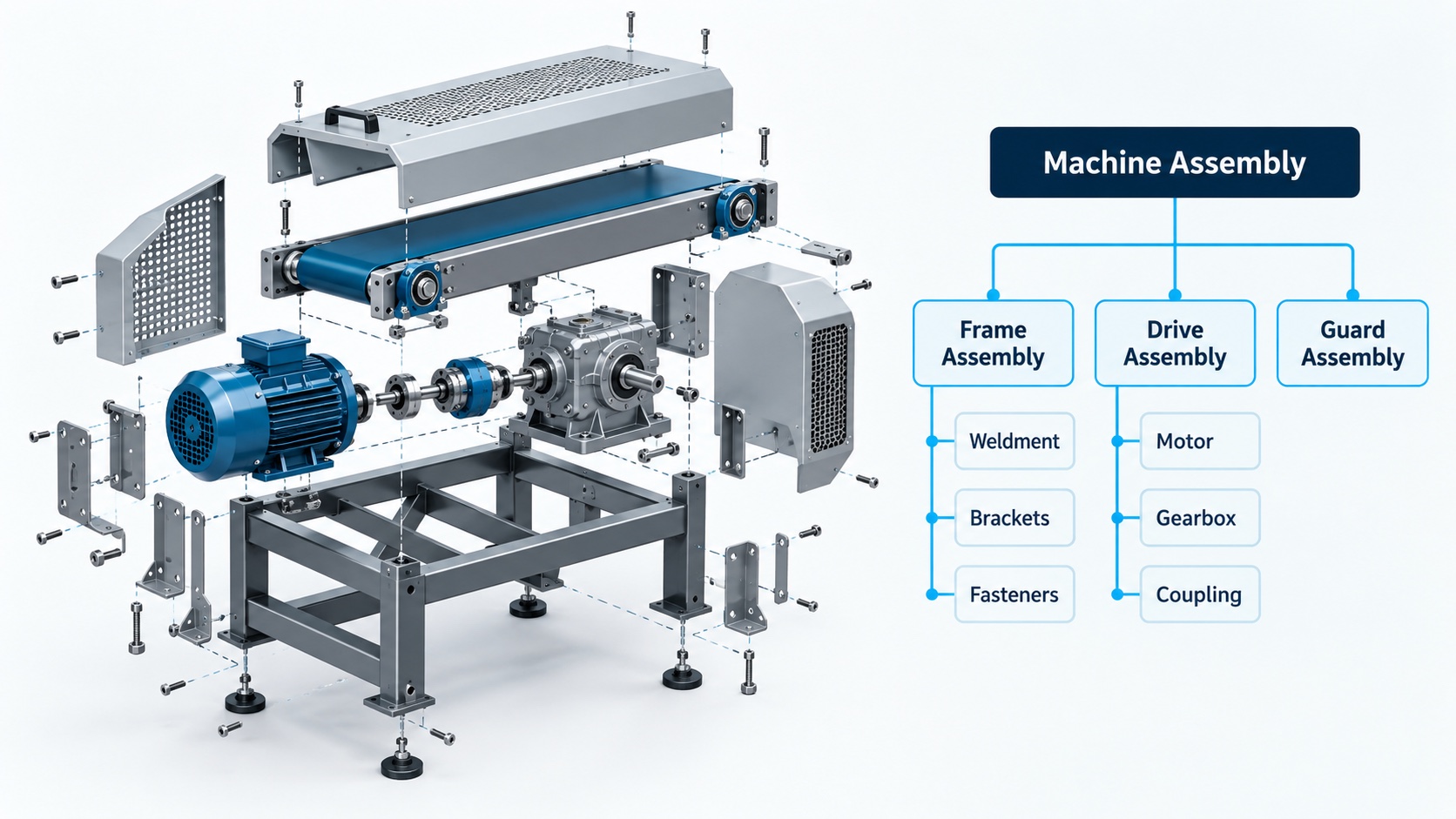
A single-level BOM lists the immediate children of one parent. A multi-level BOM follows those children into their own assemblies, and an indented BOM displays that nesting visually. Here is a simplified frame assembly:
Level
Component
Qty per parent
0
Frame assembly
1
1
Weldment
1
2
↳ Steel tube, 40mm
4
2
↳ Gusset plate
8
1
Mounting kit
2
2
↳ Bracket
4
2
↳ Fastener set
1
1
Powder coat, finished
1 lot
You can flatten that into a total parts list, and purchasing often wants exactly that. But flattening discards which assembly consumed what, so it cannot tell you where a change lands or where a cost belongs. The relationships are the point.
How do EBOMs, MBOMs, and other BOM types differ?
These categories describe purpose, not mutually exclusive files. One BOM can be several of these at once. The important pair is the first two.
Type
What it is for
Usually owned by
Engineering BOM (EBOM)
The product as designed
Design engineering, in CAD, PDM, or PLM
Manufacturing BOM (MBOM)
Materials and assemblies organized for how it will actually be built
Manufacturing engineering or operations, in PLM or ERP
Sales BOM
The commercial grouping of what was sold
Sales operations with product engineering
Configurable BOM
Reusable modules and options resolved by rules for a chosen variant
Product engineering owns the rules, sales owns the selections
Planning BOM
An expected product or option mix for forecasting
Planning, in ERP or MRP
Service BOM
The service parts definition, separate from the configuration actually installed in a maintained asset
Service engineering and service operations
Phantom BOM
A grouping expanded into its parent’s requirements rather than stocked
Manufacturing engineering or planning
A note on acronyms. Sales BOM and service BOM are both shortened to SBOM, and software bill of materials uses the same three letters for something else entirely. Spell them out.
The EBOM to MBOM handoff is where estimates quietly break
A design structure is not a build structure. Engineering groups an assembly by function; the plant may split it across fabrication and final assembly. The design shows the finished product; production also needs consumables, packaging, and work instructions nobody modelled. PTC’s Windchill documentation describes maintaining associations between as-designed and as-planned structures, which is what lets a change stay traceable across the two. The practical implication is ours: this step is a transformation, not an export.
The failure modes are ordinary:
An engineering change is approved but the manufacturing view still points at the superseded part.
A design is quoted on one plant’s assumptions and built at another that sources differently.
Material crosses over but the new finishing or inspection operation never reaches the estimate.
Who owns the BOM, and when is a revision ready to use?
Ownership varies by company, and a small manufacturer may combine all of these roles in two people. What matters is that each responsibility has a name attached:
Engineering: technical identity and approved design
Manufacturing: build structure and method
Purchasing: supplier terms
Finance: costing policy
Estimating: the assumptions that went into the quote
On revisions, “always use the latest” is too crude to be safe. The right question is which approved definition applies to this product, this date, this site, and this order. Definitions have effectivity, and versions can be constrained by date, quantity, site, and product dimensions. A newer revision that takes effect next quarter is the wrong basis for a job shipping this month.
How does a BOM drive an accurate manufacturing quote?
At each assembly, you add up the cost of its children adjusted for required quantities, then add that assembly’s own conversion cost, and repeat upward:
Here is why the structure matters more than the arithmetic.
Input
Quoted
Actual requirement
Finished units on the order
10
10
Modules per finished unit
3
3
Brackets per module
2
4
Cost per bracket
$12
$12
Total brackets
60
120
Bracket material cost
$720
$1,440
Hypothetical example, in Canadian dollars. Illustrates a mechanism, not any real product or benchmark.
One wrong quantity-per, on one cheap component, understates the order by $720. If the price is already fixed, that is $720 straight off gross profit on this job. Notice what did the damage: not the number of BOM levels, but the multiplication along the usage path. A component reused across several subassemblies compounds through each one.
What that calculation still does not include
Labour is not inside the parts list. Routing and resource records supply setup and run times, and overhead is a separate input again. Fixed setup should be spread across the lot it applies to, and the same operation should not be charged at both the subassembly and the parent level.
Scrap and yield are different models, easy to conflate and expensive to double count. Use whichever model your shop actually means, once.
Model
Basis
Units in for 120 good
Scrap allowance
5% added on top of the good quantity
126
Yield
95% of input comes out good
126.32
Two-stage yield
95% then 90% (85.5% combined)
140+
Finally, cost data has a date. An active standard cost is not automatically a current supplier offer, and for Canadian manufacturers that gap is live right now.
Statistics Canada’s Raw Materials Price Index rose 3.1% month over month in August 2026. It is official national data for a national basket, so read it as a reason to check when the costs in your quote were last refreshed, not as a number that describes your own suppliers.
Can a configured quote become a manufacturing BOM?
Partly, and knowing where the line falls is the difference between a quote you can build and one you have to renegotiate.
A configuration model describes a family of possibilities through attributes, constraints, and conditional BOM lines. Where the rules are maintained and tested, selecting options can generate a variant-specific BOM and route, including at quotation. Microsoft documents exactly that for Dynamics 365, and we covered the commercial side of it in our post on the real benefits of CPQ software.
What a configured quote cannot do is certify itself. A sales BOM communicates the scope that was sold. By its label alone it does not establish that every required operation exists, that the combination is manufacturable, or that capacity and supply support the date. Reusing a validated pump module does not stop someone pairing it with an incompatible motor unless the compatibility rule exists and is maintained.
So say plainly at quote time which of three things you are offering:
Validated standard configuration. Rules exist, are tested, and the combination is known to build.
Engineered exception. Priced, but carrying stated assumptions engineering still has to confirm.
Budgetary concept. A preliminary number, not released production data.
Engineer-to-order work can introduce new loads, interfaces, materials, or test requirements, and resemblance to a previous order is not engineering equivalence. A preliminary quote is legitimate. Presenting a preliminary structure as released production data is not. Our guide to CPQ for manufacturers goes further into where that line sits.
Which BOM checks should happen before a quote goes out?
A short list that catches most of it:
Content. Does the structure include consumables, packaging, and finishing, or only the parts on the drawing?
Quantities and units. Any zero-quantity lines? Do purchase, stock, and consumption units convert correctly?
Revision. Is this the approved definition for this product, date, and site, rather than simply the newest one?
Cost basis. What date are these costs from, and which of them move enough to need refreshing?
Operations. Does every new or changed operation appear in the estimate, and is setup allocated once?
Assumptions. Are unresolved items recorded as explicit allowances rather than quietly omitted?
Then record the basis alongside the quote: configuration version, BOM and route used, costing date, supplier assumptions, and any engineering allowance. That record is what lets you reproduce the number six weeks later when the customer asks why it changed.
On spreadsheets
There is no part count at which a spreadsheet stops being acceptable, whatever software vendors suggest. The test is whether your team can maintain the structure, approve changes, prevent conflicting copies, and reproduce the basis of any quote. A small, stable catalogue often passes. Concurrent editing, frequent substitutions, many variants, and handoffs between disconnected systems are what break it.
On AI, briefly
It can draft extracted data from supplier documents and drawings, flag unusual quantities, and retrieve candidate substitutes. Units, required fields, arithmetic, and compatibility rules belong with deterministic checks, and engineering and purchasing should approve equivalence and release. A missing requirement cannot be recovered by guessing.
Where to start
Pick one product family and trace a single path: the released engineering structure, the manufacturing structure actually used, a recent real build, and the quote you sent. Where those four disagree is where your estimates are leaking, and you will usually find it in an afternoon.
A note on sources. The technical behaviour described here comes from product documentation published by Microsoft and PTC. That is strong evidence of how those systems work, not proof that every ERP or PLM behaves identically. The Statistics Canada figure is official national data for a national basket, not a measurement of your suppliers. You will also find confident statistics online about what BOM errors cost manufacturers. We went looking for a defensible, recent, cross-industry figure and could not find one, so this article shows the arithmetic instead of borrowing authority we cannot support.
Ready to see where this fits your operation?
Want a second opinion on your BOM and quoting process?
A short conversation is the fastest way to know whether CPQ is worth it for you. Book a Fit Call and we'll walk through your quoting process, or start with an AI Opportunity Blueprint to find the highest-value automation before you build anything.
A bill of materials is a structured record of the materials, components, and assemblies required to build a product, along with the quantity of each and the assembly that uses it. It links the product information that engineering, purchasing, and manufacturing all work from, which is why it also underpins any cost estimate built on that product.
What is the difference between an EBOM and an MBOM?
An engineering BOM describes the product as designed. A manufacturing BOM organizes what is needed to actually build it, which can mean different groupings, added consumables and packaging, and manufacturing detail the design never carried. Because the two views legitimately differ, changes have to stay traceable between them or production ends up working from a superseded definition.
How many levels should a BOM have?
A single-level BOM shows one assembly’s immediate components; a multi-level structure also exposes the BOMs of its subassemblies. There is no ideal depth. Use the structure that genuinely represents the product and its controlled assemblies. Depth by itself does not make a quote more accurate, and flattening a structure loses the information about which assembly consumed what.
Who owns the manufacturing BOM?
Manufacturing engineering or operations typically owns the manufacturing view while design engineering owns the as-designed view, though arrangements vary and a small manufacturer may combine the roles. What matters more than the org chart is that someone is explicitly accountable for technical content, production changes, supplier information, and the cost assumptions used in quoting.
How do BOM errors affect manufacturing quotes?
A missing component or a wrong quantity-per changes the material requirement your estimate is built on, and the error multiplies through every parent assembly that uses the item and every unit on the order. Routing, resource costs, and overhead feed the same estimate, so correcting the parts alone may still leave the quote wrong.
Can a manufacturer manage BOMs in a spreadsheet?
Yes, provided the spreadsheet has reliable ownership, version control, consistent units, and a reproducible costing basis. Move to shared controls when concurrent edits, frequent substitutions, many variants, or handoffs between systems make those things unreliable. There is no universal part-count threshold, despite what you may read.